Planet Painter
A color-based mobile puzzle game where a chameleon paints tilemap worlds, built as the sole programmer on a 5-person agile team targeting Android tablets.
Overview
Planet Painter is a single-player puzzle game where the player controls
The core loop:
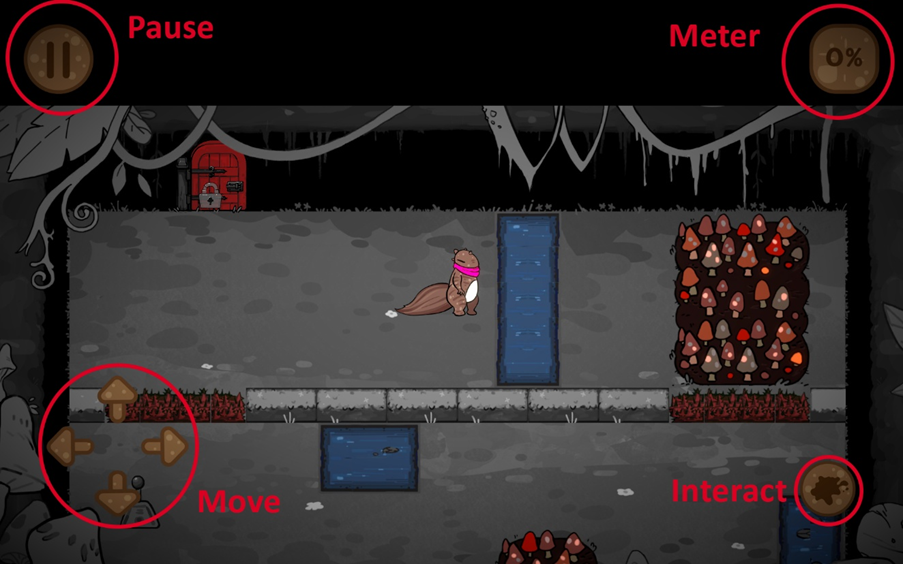
- Move across tilemap worlds
- Absorb colors from Painter Boxes (red, blue, yellow)
- Lose color at Water Boxes
- Match colors to activate switches and unlock doors
- Push past Blocker Boxes that yield only to the matching color
- Reach the exit
Core gameplay loop — move, paint, color-change
Eight levels introduce progressively complex puzzle elements and color combinations. The gameplay is complete across eight levels, but the core mechanics have clear potential for deeper puzzle complexity, and the codebase is maintainable and extensible enough to support that expansion.
Being the sole programmer on a five-person team with a two-month deadline changes what you optimize for. The team had two artists and two level designers, none with deep Unity experience. That meant
Originally built with Unity 2022 and later upgraded to Unity 6 with URP, using Zenject DI throughout. Primary target was Android tablets (Lenovo M11, 1920x1200), with additional WebGL (published on itch.io) and Windows builds. This was a Team Game Project at SMU Guildhall, following agile with daily scrums:
Trailer
Architecture
Everything flows through Zenject’s DI container. GameInstaller binds all services, repositories, and the SignalBus at scene load. The most important relationship is the SignalBus: when the player changes color, OnPlayerColorChanged fires, and the map, doors, and switches all react independently without knowing about each other. This is what makes the puzzle mechanics composable rather than hardwired.
| Module | Description |
|---|---|
| GameService | Game state machine (Title, Game, Pause, Result) with signal-driven transitions |
| PlayerService | Facade for move, state, color, animation, and collision handlers |
| MapService | Tilemap painting logic and real-time paint-percentage tracking |
| CameraService | Top-down camera that follows the player |
| DoorRepository | Object-pooled doors with color-matching unlock logic |
| SwitchRepository | Object-pooled switches that relay player color to doors via SignalBus |
| SignalBus | Zenject signal-based event system for decoupled cross-system communication |
Modules as a Communication Protocol
The architecture is essentially a pub/sub message bus connecting autonomous processors. Each module — Player, Map, Door, Switch — owns its own state and reacts to signals it subscribes to, without knowing who published them or what other subscribers exist. OnPlayerColorChanged doesn’t know that the map will repaint tiles, that doors will re-evaluate their lock state, or that the animation handler will swap sprite sheets. It just fires, and each subscriber decides independently how to respond.
This pattern — autonomous modules communicating through a shared event bus with no direct coupling — is the same structure that appears in multi-agent systems, microservice architectures, and event-driven pipelines. The game happened to need it for composable puzzle mechanics, but the underlying design is domain-agnostic.
The codebase enforces this isolation at the build level: 19 assembly definitions create hard compilation boundaries between modules. A change in the Door system cannot accidentally reference Player internals, because the assembly won’t compile. This is the same principle as package boundaries in a monorepo or module isolation in an agent framework.
Design Decisions
Why I Check Tile Painting Every Frame Instead of Using Unity Collision Events
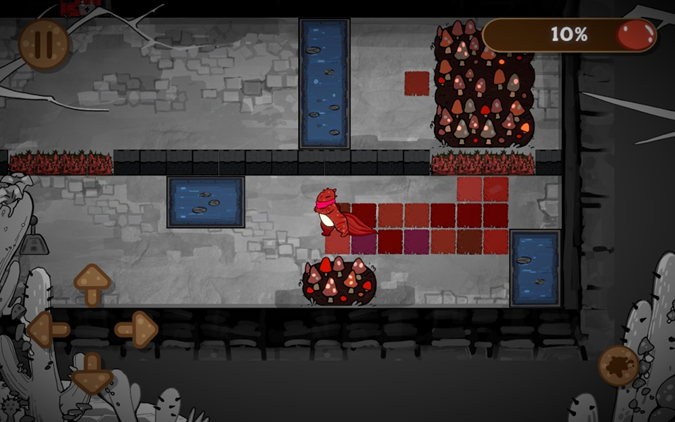
The obvious approach for detecting which tiles the player walks over is Unity’s built-in collision callbacks (OnTriggerEnter2D). But when the player moves fast or squeezes along tile boundaries, Unity’s collision system would sometimes collapse: the player would jitter or pass through wall boundaries entirely. Collision events on tilemaps don’t fire as reliably as they do on normal GameObjects.
Instead, MapOutlookHandler.Tick() runs every frame and converts the player’s collider bounds to tilemap cell coordinates directly. It iterates over every cell within those bounds, skips unpaintable tiles, and applies a random paint-splash variant from the current color’s tile set. This is more work per frame than event-driven painting, but it never misses a tile and never produces jitter. For a game where painting coverage is tracked as a percentage and affects the level-finish score, missing even one tile would be a visible bug.
// MapOutlookHandler.cs — real-time tile painting via player collision bounds
public void Tick()
{
    var playerColor = playerService.GetPlayerColor();

    if (playerColor == PlayerColor.Original)
        return;

    var paintSplashTilemap = view.GetPaintSplashTilemap();
    var unPaintableTilemap = view.GetUnPaintableTilemap();
    var bounds             = playerService.GetPlayerBounds();

    var min = paintSplashTilemap.WorldToCell(bounds.min);
    var max = paintSplashTilemap.WorldToCell(bounds.max);

    for (var x = min.x; x <= max.x; x++)
    {
        for (var y = min.y; y <= max.y; y++)
        {
            var tilePosition = new Vector3Int(x, y, 0);

            if (unPaintableTilemap.HasTile(tilePosition))
                continue;

            if (!paintSplashTilemap.HasTile(tilePosition))
            {
                var randomNum = Random.Range(0, 6);
                var newTile   = view.GetPaintSplashTileBaseList()
                                    [(int)playerColor].paintSplash[randomNum];

                paintSplashTilemap.SetTile(tilePosition, newTile);

                tileInfos.Add(new TileInfo
                {
                    position = tilePosition,
                    color    = (TileColor)playerColor
                });
            }
        }
    }
}
Why I Used Zenject DI (and Why I Wouldn’t Again)
I used Zenject because it’s what I’d been using at my previous job at CtrlS. It gave me a clean service-oriented architecture: each system (Player, Map, Door, Switch, Game, Camera) is bound through a central GameInstaller, and cross-system communication goes through SignalBus rather than direct references. This made the codebase genuinely decoupled. Systems can be tested in isolation, and adding a new interactable type doesn’t require touching existing systems.
But Zenject is too heavy for a project this size. The container setup, sub-container resolution for object pools, and signal declaration boilerplate add complexity that a simpler approach would handle fine. If I started this project over, I’d keep the SignalBus pattern but implement it as a lightweight event bus — a static class with Subscribe<T>, Publish<T>, and Unsubscribe<T> — and replace Zenject’s container with manual constructor injection through a simple composition root. The architectural principle (decoupled modules, event-driven communication, interface-based contracts) was right; the framework was overkill.
// GameInstaller.cs — centralized signal declaration
private void BindSignal()
{
    Container.DeclareSignal<OnPlayerStateChanged>();
    Container.DeclareSignal<OnPlayerColorChanged>();
    Container.DeclareSignal<OnSwitchColorChanged>();
    Container.DeclareSignal<OnGameStateChanged>();

    SignalBusInstaller.Install(Container);
}
Why Object Pooling for Doors and Switches Was Built for a Map That Never Arrived
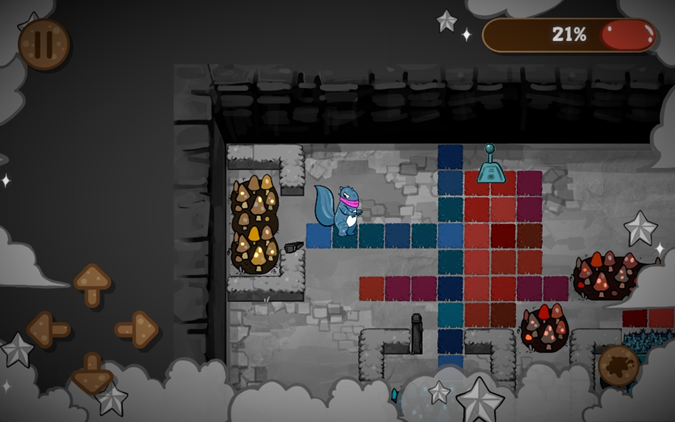
The original design called for large, scrolling maps where doors and switches would enter and leave the screen as the player moved. I built object pooling (PoolableMemoryPool via Zenject sub-containers) so that interactables outside the viewport could be recycled rather than instantiated and destroyed, avoiding GC spikes on Android.
The artists and designers couldn’t finish the art and levels at that scale within the timeline, so the maps stayed small. The pooling system still works and doesn’t hurt performance, but it’s solving a problem that the shipped game doesn’t have. This is a case where I built infrastructure for a scope that didn’t materialize. The lesson: on a tight timeline, build for the scope you have, not the scope you planned.
Challenges
Tilemap Collision Logic Not Behaving Like Normal GameObjects
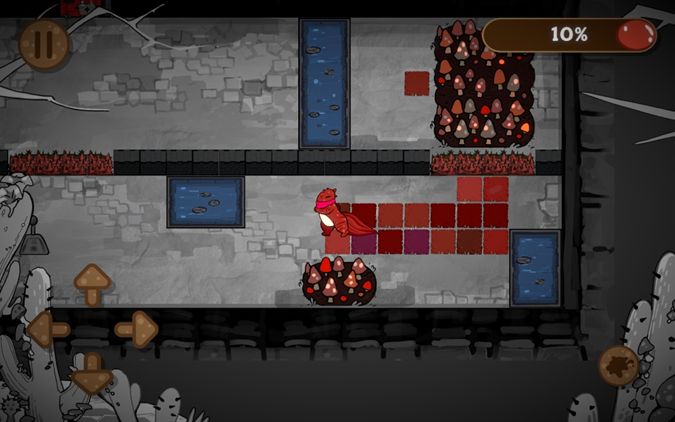
The hardest bug category was implementing game logic on Unity’s tilemap. Collision callbacks on tilemap colliders don’t trigger as reliably as they do on standard GameObjects. A door’s OnTriggerEnter2D might not fire if the player approaches from a specific angle, or might fire multiple times in a single frame. The behavior was inconsistent enough that I couldn’t trust it for gameplay-critical logic like color matching and door unlocking.
The debugging was slow because the symptoms looked like logic errors (wrong color check, missed state transition) when the real cause was the collision event never arriving. I ended up using a hybrid approach:
| Approach | Used For | Why |
|---|---|---|
| Manual bounds-check every frame | Tile painting | Collision events miss tiles on tilemaps |
| Collision events + state guards | Doors, switches | Works for discrete interactions; isLocked / canInteract guards handle missed or duplicate triggers |
Art Asset Resolution Causing Performance Issues on Android
I spent significant time communicating with the artists about asset specifications. We were worried about low resolution on the tablet’s 1920x1200 screen, so I asked for high-resolution assets. The artists delivered, but the assets were overdone and caused performance issues on the Android target. Textures were larger than they needed to be, and the GPU was spending time on detail that wasn’t visible at the game’s camera distance.
The fix was straightforward (downscale the assets), but the lesson was about cross-discipline communication. I should have specified exact pixel dimensions and maximum file sizes upfront rather than asking for “high resolution” and hoping it would be right. On a team where the artists aren’t experienced with game development constraints, vague specs produce vague results.
ScriptableObject as a Designer-Facing Spawner Pipeline
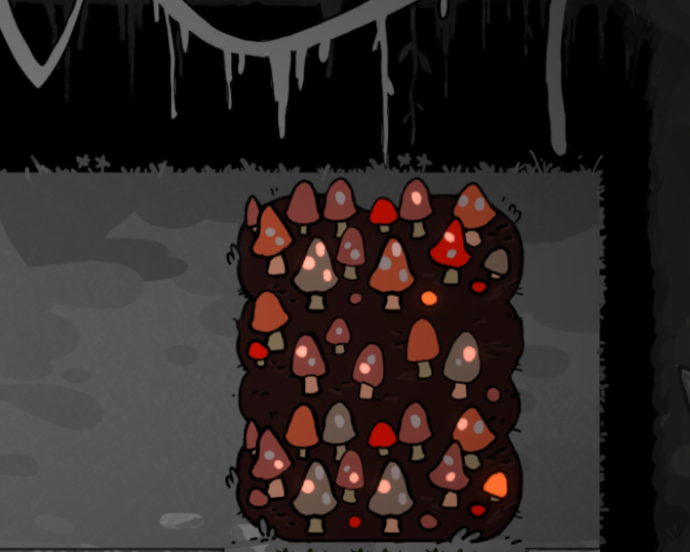
I built a data-driven configuration system using GameDataScriptableObject that lets designers define all level parameters without touching code. A single difficulty index selects the entire level configuration: which level prefab to load, where to spawn the player, how many doors and switches to place, their colors, their positions, and which switches unlock which doors. The spawner systems (DoorSpawner, SwitchSpawner) read this config at initialization and instantiate everything through the pooled factories. Adding a new level means filling in one more entry in the ScriptableObject — zero code changes.
The limitation: ScriptableObject changes only take effect when play mode restarts. Every time a designer tweaked a number, they had to stop and re-enter play mode. For iterating on puzzle feel, that feedback loop was too slow. Next time I’d build a runtime-adjustable tool — an in-game debug panel or a custom Editor window that applies changes live — so the infrastructure serves the iteration speed that designers actually need.
What I’d Do Differently
- Drop Zenject, keep the pattern. Replace with a lightweight event bus and manual constructor injection. The decoupled architecture was the right call; the framework added unnecessary complexity for a project this size.
- Build runtime debug tooling from day one. ScriptableObject config was the right abstraction for designers, but without live-reload it slowed their iteration. A simple in-game debug panel would have paid for itself in the first week.
- Specify exact asset dimensions upfront. “High resolution” is not a spec. Provide pixel dimensions, max file sizes, and target memory budgets before artists start producing assets.
- Build for current scope, not planned scope. The object pooling system works, but it was built for large scrolling maps that never materialized. On a tight timeline, solve the problem you have today.
- Invest in automated testing earlier. The project has zero tests. With 19 decoupled modules and interface-driven services, the architecture is already testable — I just never wrote the tests. Even a handful of unit tests on the state handlers would have caught bugs faster than manual playtesting.
Build & Tooling
19 Assembly Definitions for Module Isolation
Every module (Player, Map, Door, Switch, Game, Audio, SceneTransition, etc.) has its own .asmdef file, creating hard compilation boundaries. This means a change in the Door system physically cannot reference Player internals — the compiler enforces it. On a solo-programmer project this might seem like overkill, but it caught dependency mistakes early and made the codebase navigable: each assembly is a self-contained unit with explicit dependencies declared in its .asmdef.
Custom WebGL Template for Deployment
Unity’s default WebGL build overwrites index.html and style.css on every rebuild, reverting any custom changes. I needed 16:10 aspect ratio letterboxing with black bars and a hidden footer for the itch.io deployment. Rather than re-applying these changes after every build, I created a custom WebGL template (Assets/WebGLTemplates/PlanetPainter/) with Unity template variables ({{{ LOADER_FILENAME }}}, {{{ DATA_FILENAME }}}, etc.) so the build system injects the correct paths automatically. Select the template once in Player Settings, and every subsequent build preserves the custom layout.
Gallery
Technical Specifications
| Component | Technology |
|---|---|
| Engine | Unity 6000.3.10f1 (upgraded from 2022.3.38f1 mid-development) |
| Language | C# |
| DI Framework | Zenject (SignalBus, PoolableMemoryPool) |
| Async | UniTask 2.5.10 |
| Asset Loading | Addressables 2.9.0 |
| Input | Unity Input System 1.18.0 |
| Rendering | URP 17.3.0 + Post Processing |
| Animation | DOTween |
| Tilemap | Unity Tilemap + custom PaintSplashTileBase |
| Architecture | 19 assembly definitions for compilation isolation |
| Platform | Android (Lenovo M11, 1920x1200), WebGL (itch.io), Windows |
| Camera | Top-down with faux 45-degree isometric perspective |
| Team | Wintermoon Studio — Yu-Wei Tseng (Programmer), Cheng Huang (Level Designer), Sereen Hamideh (Level Designer), Bess Qu (Artist), Ray Yin (Artist) |
| Timeline | Oct 2 - Dec 2, 2024 (agile with daily scrums) |
Related Projects
Game
Trashure
A 2D RPG thesis project that uses gameplay as a medium to explore environmental issues, featuring field-research-based pixel art, an inventory system, NPC pathfinding, and a dialogue system.
Game
HardDriverz
An arcade kart racing game built in Unreal Engine 5.6 on a 53-person team, where I designed and implemented the 7-stage outgame menu pipeline with state machine architecture and hierarchical widget system.
Game
Corrupted Hollow
A third-person puzzle-platformer built in Unreal Engine 5.7 on a 24-person team, where I designed the multi-module C++ architecture, built the Ghosty companion system, and explored MassEntity for swarm behavior.